Palworld reads its gameplay options (XP rates, capture rates, death penalty, PvP, base camp limits, and more) from Pal/Saved/Config/LinuxServer/PalWorldSettings.ini. This article shows you how to edit that file in the EZ Game Host panel and apply your changes with a restart.
ServerName, ServerDescription, AdminPassword, ServerPassword, PublicPort, PublicIP, RCONEnabled, RCONPort, and ServerPlayerMaxNum. Editing them in PalWorldSettings.ini has no lasting effect: any change is overwritten at the next start. Change those on the Startup tab instead. See Changing server name, passwords, and player slots.Edit the file
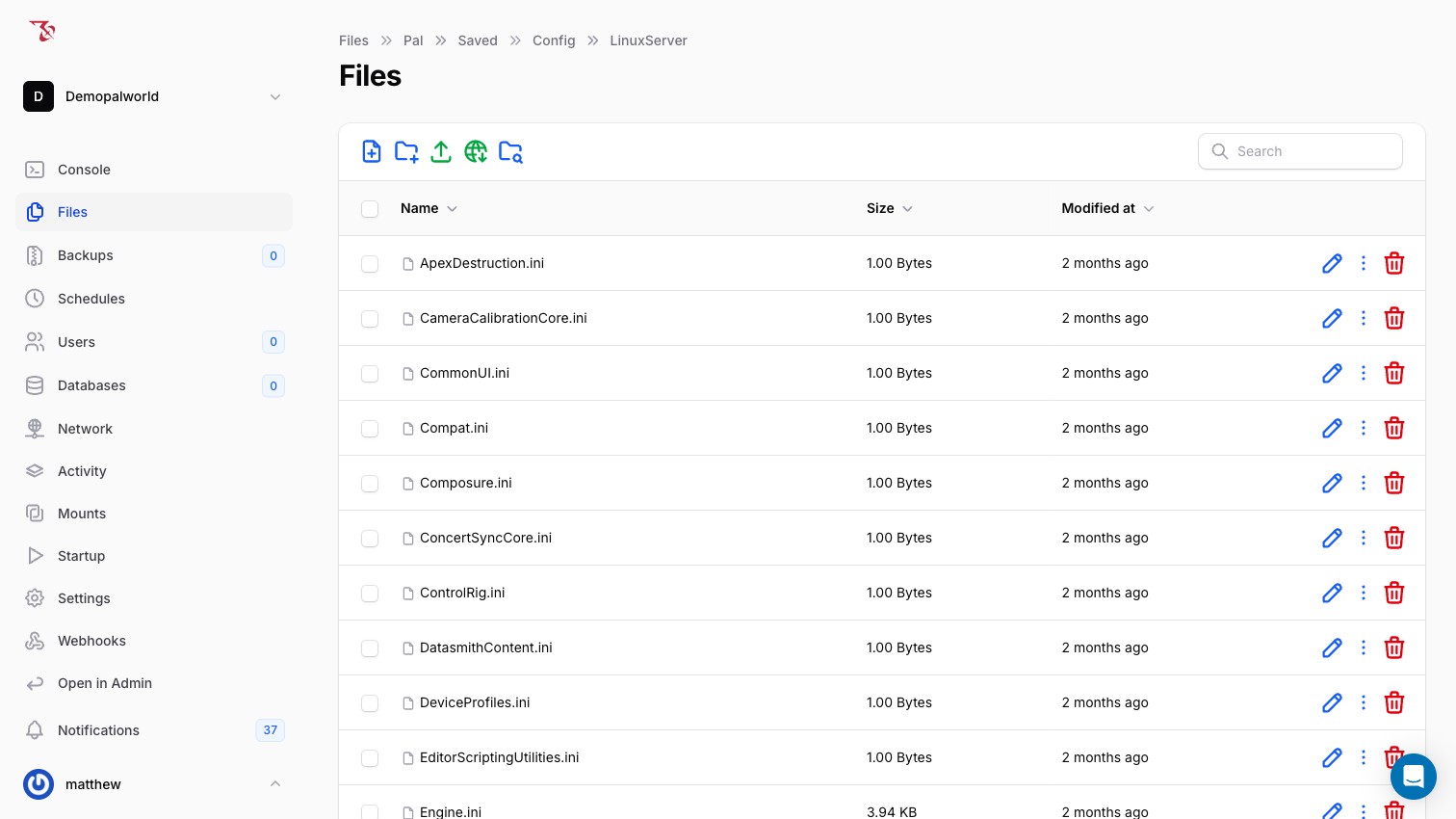
- In the panel sidebar, open Files.
- Navigate into
Pal>Saved>Config>LinuxServer. - Hover over
PalWorldSettings.iniand click the pencil (edit) icon. The editor opens with the header Editing: Pal/Saved/Config/LinuxServer/PalWorldSettings.ini and Syntax Highlighting set toini. - Find the line starting with
OptionSettings=(and change the values you want inside the parentheses. For example, to double XP gain, changeExpRate=1.000000toExpRate=2.000000. - Click Save (or Save & Close).
- Go to Console and click Restart (or Start if the server is stopped). The game only reads this file at boot, so changes take effect after the restart.
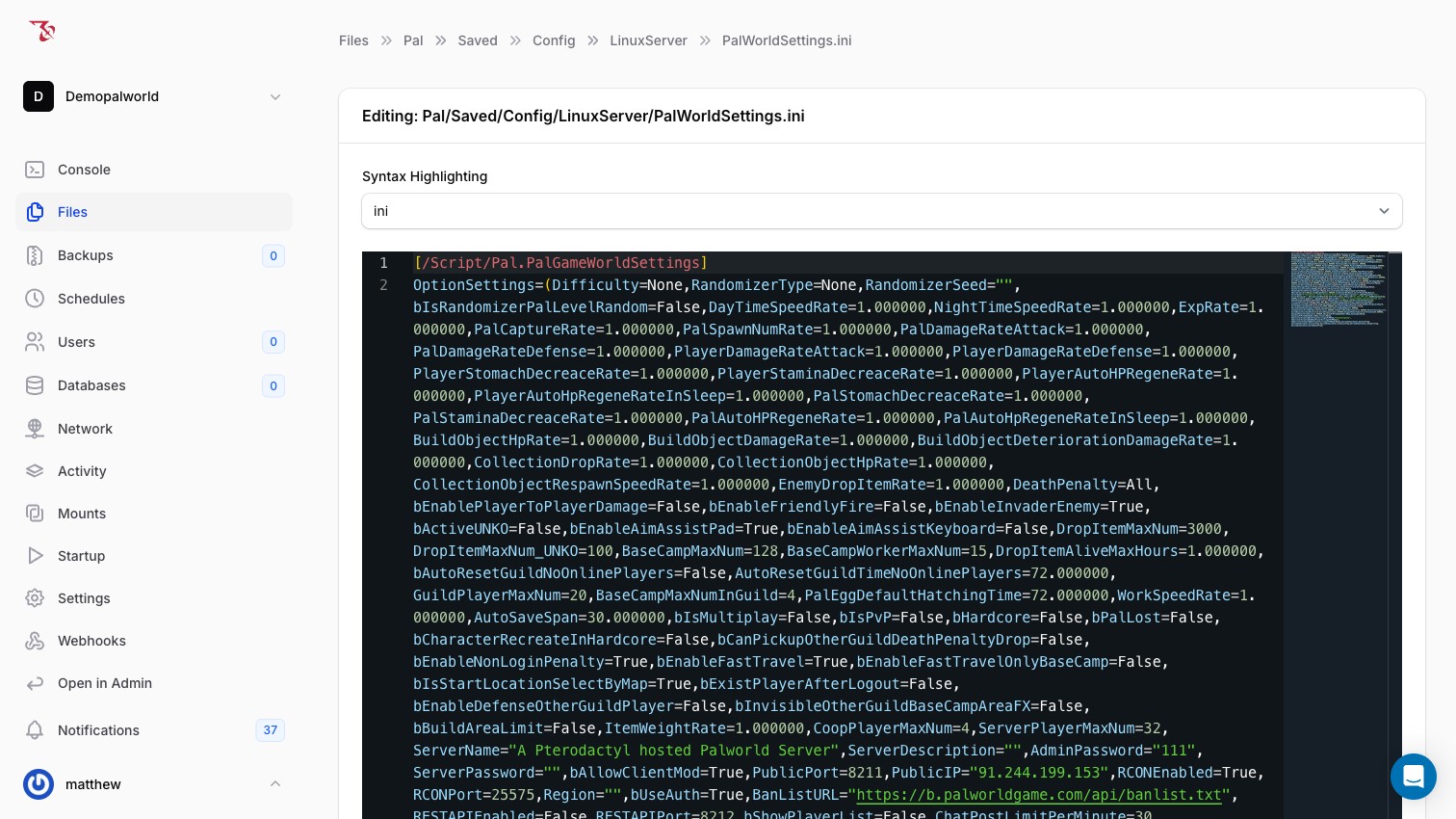
OptionSettings=(...)block is one very long line; that is the normal format for this file. Do not add line breaks inside the parentheses; use your browser's find (Ctrl+F / Cmd+F) to locate an option.Finding the default values
The file DefaultPalWorldSettings.ini in the root of your Filespage is a reference copy listing every option with its default value. Use it to look up option names and defaults, but don't edit it; the live config the server uses is Pal/Saved/Config/LinuxServer/PalWorldSettings.ini.
Popular options
All options below appear inside OptionSettings=(...). Rates are multipliers where 1.000000 is normal; booleans are True/False. Defaults shown are the values observed in an unmodified server config.
Rates and multipliers
| Option | Default | What it does (game behavior) |
|---|---|---|
ExpRate | 1.000000 | XP gain multiplier. |
PalCaptureRate | 1.000000 | Pal capture chance multiplier. |
WorkSpeedRate | 1.000000 | Work/crafting speed multiplier. |
DayTimeSpeedRate | 1.000000 | How fast daytime passes. |
NightTimeSpeedRate | 1.000000 | How fast nighttime passes. |
PalSpawnNumRate | 1.000000 | Number of Pals that spawn in the world. |
EnemyDropItemRate | 1.000000 | Item drop rate from defeated enemies. |
CollectionDropRate | 1.000000 | Drop rate when gathering resources. |
ItemWeightRate | 1.000000 | Item weight multiplier (lower = carry more). |
Difficulty and death
| Option | Default | What it does (game behavior) |
|---|---|---|
Difficulty | None | Difficulty preset; None means the individual values in this file apply. |
DeathPenalty | All | What players drop on death: None, Item, ItemAndEquipment, or All (items, equipment, and Pals). |
bHardcore | False | Hardcore mode: player death is permanent. |
bPalLost | False | Pals are permanently lost when they die. |
PvP
| Option | Default | What it does (game behavior) |
|---|---|---|
bIsPvP | False | Enables PvP mode. |
bEnablePlayerToPlayerDamage | False | Players can damage other players. |
bEnableFriendlyFire | False | Damage applies to allies. |
Base camps
| Option | Default | What it does (game behavior) |
|---|---|---|
BaseCampMaxNum | 128 | Maximum base camps on the whole server. |
BaseCampWorkerMaxNum | 15 | Maximum worker Pals per base camp. |
BaseCampMaxNumInGuild | 4 | Maximum base camps per guild. |
Guilds
| Option | Default | What it does (game behavior) |
|---|---|---|
GuildPlayerMaxNum | 20 | Maximum players in a guild. |
Miscellaneous
| Option | Default | What it does (game behavior) |
|---|---|---|
AutoSaveSpan | 30.000000 | Interval between world autosaves, in seconds. |
PalEggDefaultHatchingTime | 72.000000 | Hours for the largest eggs to hatch (smaller eggs scale down from this). |
bEnableFastTravel | True | Allows fast travel between unlocked points. |
CrossplayPlatforms | (Steam,Xbox,PS5,Mac) | Which platforms can join together. |
ChatPostLimitPerMinute | 30 | Maximum chat messages per player per minute. |
Related articles
- Changing server name, passwords, and player slots: the Startup-tab settings that override this file
- Managing files and connecting over SFTP
- Backing up your server
- Using the console and admin commands